

 Sacred
 Bill Tracker
A bill reminder and budgeting app for iPhone and Android. Organize bills, track due dates, and plan around your income.
Sacred Bill Tracker is a mobile bill organizer operated by Sacred Pathway LLC. Keep household and business bills, recurring expenses, due dates, payment status, and income in one place. Use reminders and calendar views to plan upcoming payments. Download the app for iPhone from the Apple App Store or for Android from Google Play.
Bill tracking, reminders, and income organization
Track Every Bill
Add bill amounts and due dates, record payment status, and set reminders to help you stay organized.
Due-Date Clarity
See what's due, what's paid, and what's coming — all in one timeline.
Income Tracking
Record income and review it alongside upcoming household and business bills.
Smart Reminders
Gentle nudges before due dates keep you ahead of late fees.
Private & Secure
Your financial data stays organized, private, and in your control.
A bill organizer for households and small businesses
- People juggling multiple bills and subscriptions
- Households managing shared expenses
- Freelancers and small-business owners organizing bills and income
- Anyone tired of late fees and surprise charges

Everything you can do with Sacred Bill Tracker
Use this guide to understand the app's verified features, where they live, what is included with each plan or add-on, and how the new in-app Learning Center helps users get step-by-step support.
Bills, reminders, and calendar views
Add bills, track due dates, mark payment status, review upcoming pressure, and export bills to supported device calendars.
Budget, income, and reports
Organize personal and business money with income tracking, budget goals, monthly reports, and CPA Ready Export where your plan supports it.
Add-ons and guided learning
Receipt Jar, AutoTrack, and Sacred Focus+ are separate add-ons. The Learning Center is available inside Settings for searchable, offline instructions.
Getting started and main navigation
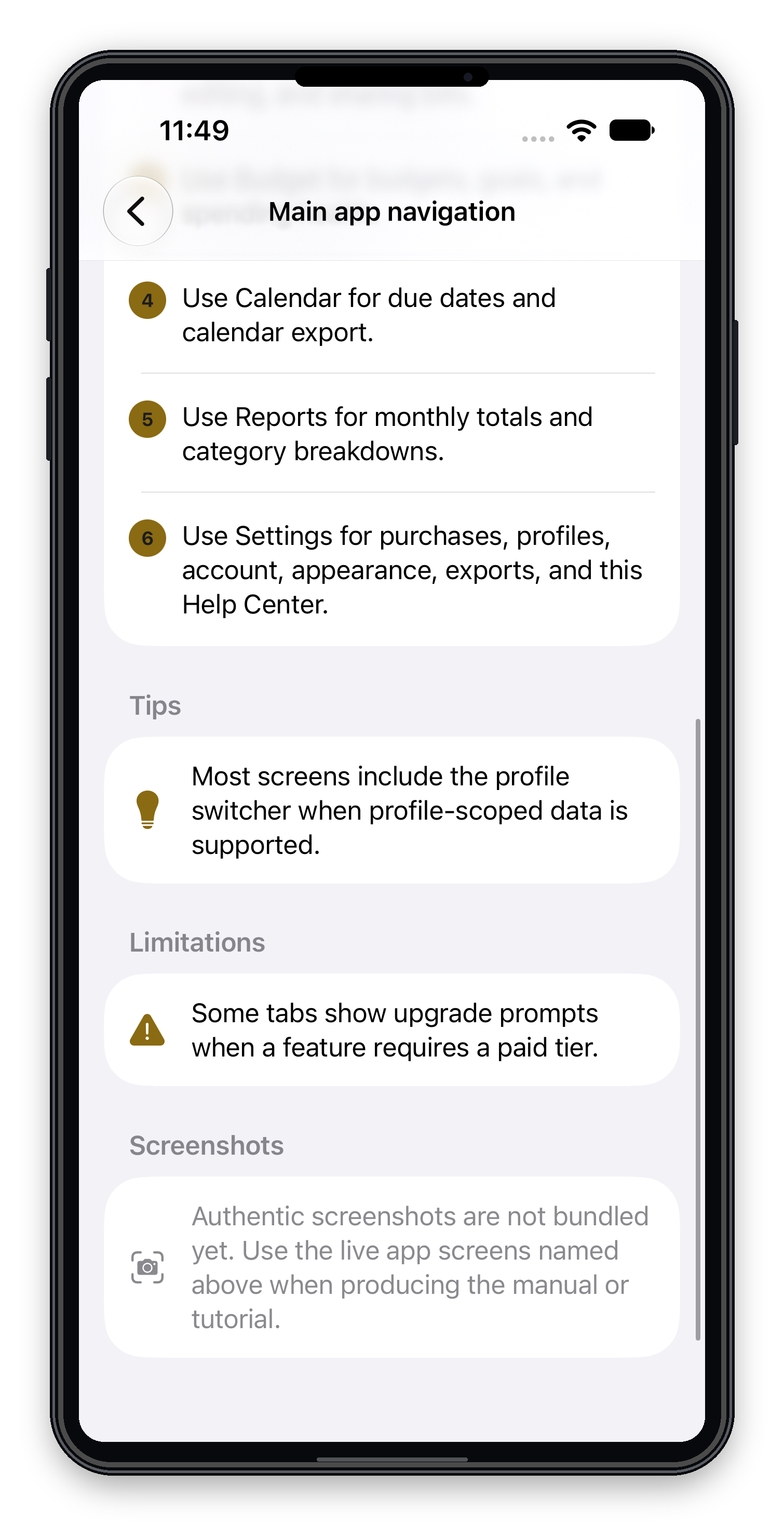
Sacred Bill Tracker starts with account creation or sign-in, then guides users into adding their first bill. The main app uses Dashboard, Bills, Budget, Calendar, Reports, and Settings tabs.
- Open the app and sign in or create an account.
- Add a first bill from onboarding, Dashboard, or Bills.
- Enter the bill name, amount, due date, category, recurrence, and status.
- Use Dashboard and Calendar to see what is coming next.
Dashboard and daily money overview
The Dashboard is the home base for upcoming bills, overdue items, financial overview cards, income cards, customizable widgets, and Sacred Daily Focus entry points.
- Add bills quickly from the plus button.
- Review upcoming and overdue bills.
- Use widgets and financial overview cards when data is available.
- Access promotional/signup code entry where supported.
Bills, search, filters, paydown, and payoff tracking
The Bills tab manages the active bill list. Users can search, filter, sort, edit owned bills, mark them paid or unpaid, delete to Trash, and share a professional summary.
- Filter by My Bills or Shared Bills.
- Filter by Personal or Business where supported.
- Use 15/3 paydown planning and payoff tracking inside Add/Edit Bill.
- Partner-owned shared bills remain read-only.
Budget, income, reports, and CPA Ready Export
Budget and reporting tools help users see spending, goals, monthly totals, category breakdowns, income, and business context when the required plan is active.
- Budget supports Personal, Business, and All scopes.
- Income entries can be classified as Personal or Business.
- Reports show monthly totals, unpaid amounts, bill counts, and category details.
- CPA Ready Export creates an informational PDF for accountant review. It is not tax, legal, accounting, or financial advice.
Partner Budgeting, profiles, and shared organization
Partner Budgeting lets users invite a partner and share selected bills while each person keeps their own account. Managed Profiles organize separate financial views such as personal, family, business, property, spouse, or child.
- Shared bills appear under Bills -> Shared Bills.
- Partner-owned bills are read-only.
- Managed Profiles require the proper paid entitlement.
Receipt Jar, AutoTrack, and Sacred Focus+
These capabilities are separate add-ons because they provide specialized features or involve recurring operating costs.
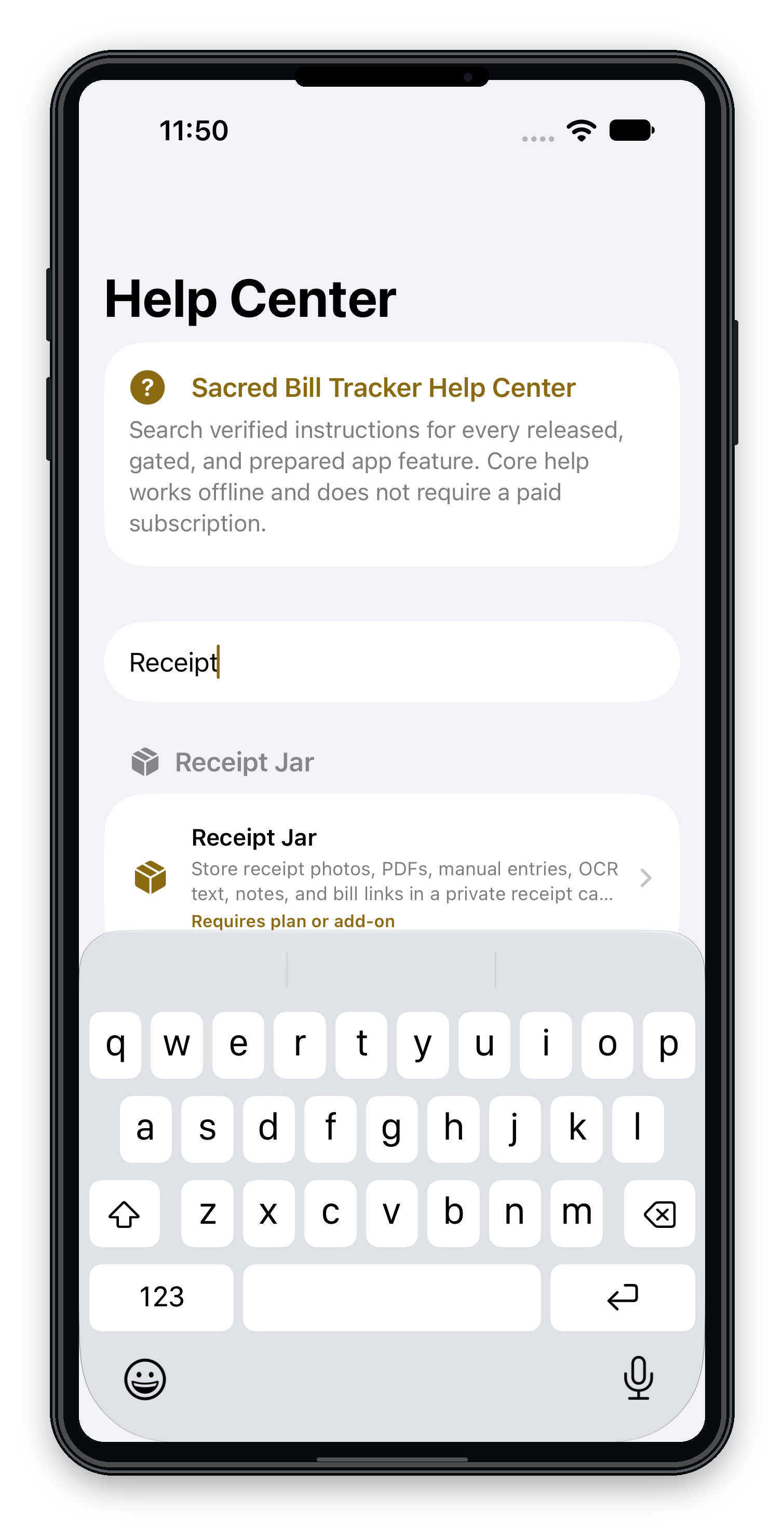
- Receipt Jar: receipt photos, PDFs, manual entries, OCR review, notes, bill links, and receipt storage.
- AutoTrack: Plaid-powered bank connections and automatic detection workflows. Users review detected items before treating them as confirmed.
- Sacred Focus+: daily plans, schedules, to-dos, focus quotes, reminders, progress tracking, saved favorites, and suggested daily plans.
Plans, add-ons, and unreleased SAVELIFE status
Free access includes limited bill tracking, basic tracking tools, and Learning Center access. Essential, Business, and Unlimited add progressively broader manual tracking, business/core features, profiles, analytics, reports, and exports where available. Receipt Jar, AutoTrack, and Sacred Focus+ are separate add-ons.
SAVELIFE is prepared and gated as a future one-time Business/core access concept. It should not be presented as publicly available until App Store Connect setup, backend verification, release-gate, and final production testing are complete. It excludes AutoTrack/Plaid, paid AI, OCR/document processing, and other recurring-cost services.
Learning Center: built-in help inside Settings
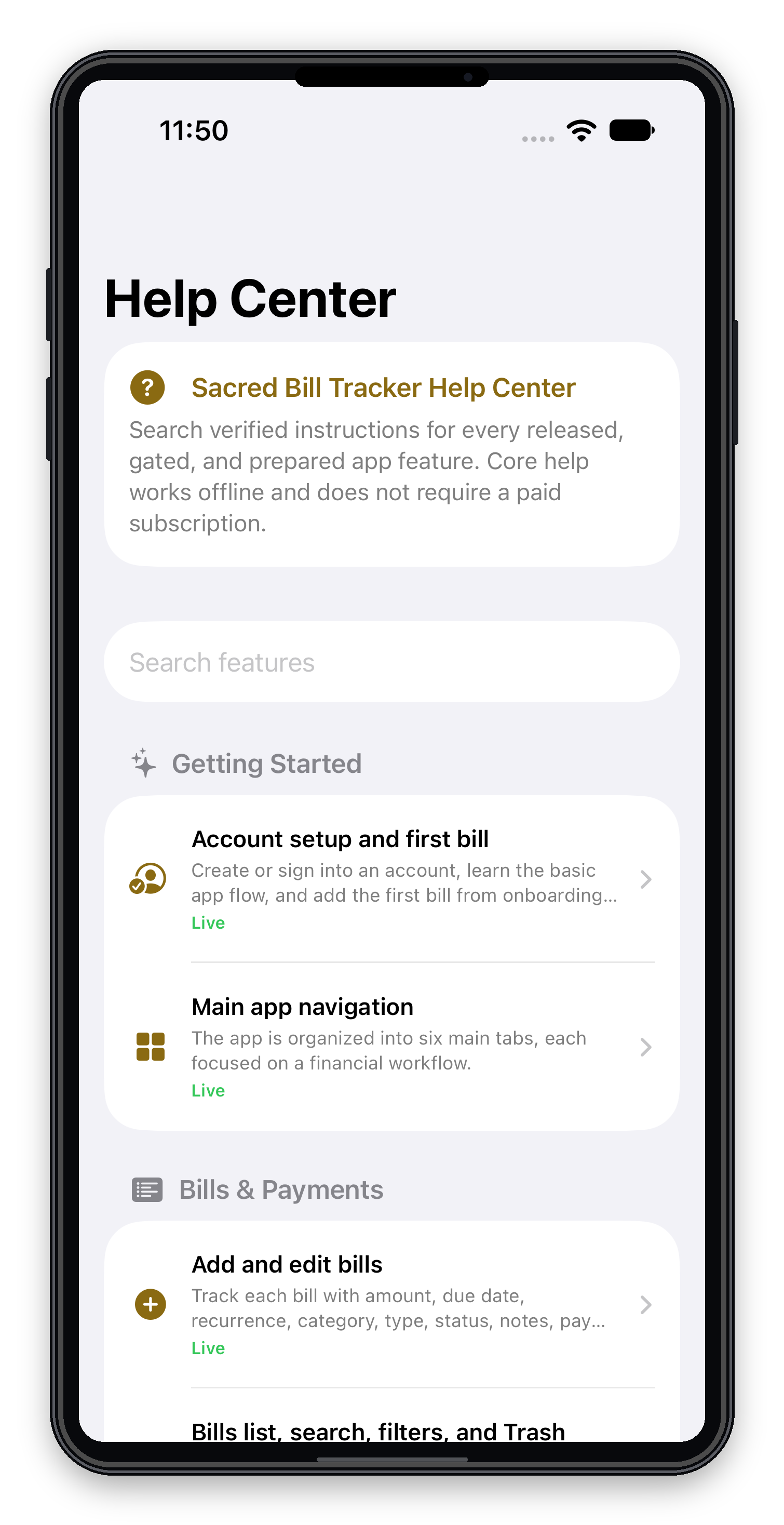
The in-app Help Center has been upgraded into the Sacred Bill Tracker Learning Center. Users can find it at Settings -> Help and referrals -> Learning Center.
- Searchable feature directory
- Beginner-friendly Getting Started articles
- Step-by-step instructions
- Plan and add-on access labels
- Safe Take Me There links for supported screens
- FAQs and troubleshooting
- Offline access for Free-tier users
Frequently asked questions
Does Sacred Bill Tracker pay bills automatically?
No. It tracks bills, due dates, reminders, payment status, payment links, reports, and planning tools. It does not move money.
Is it available on iPhone and Android?
Yes. The page's existing App Store and Google Play buttons should remain the primary download links.
Where is the Learning Center?
Open Settings, then Help and referrals, then Learning Center.
Why are some features locked?
Some features require Essential, Business, Unlimited, or a separate add-on. The Learning Center labels feature access.
Is Sacred Bill Tracker financial advice?
No. It is an organization, tracking, reminder, and reporting tool.
Download Sacred Bill Tracker for iPhone or Android
Free to download, with optional in-app purchases. Features, free-plan limits, and subscriptions vary by platform; see your app store for current details.
Questions about the app? Visit app support.
Platform Status
Built for real everyday use.
Purpose
A bill reminder and budgeting app that helps you organize due dates, payment status, recurring expenses, and income. Sacred Bill Tracker does not pay bills on your behalf.
Who it helps
Households, students, side hustlers, and small-business owners who need clean reminders without spreadsheet clutter.
Use cases
- Track due dates before payday
- Mark bills paid and spot upcoming pressure
- Keep support and privacy details easy to find
Status
Live on App Store and Google Play
Support is available for app questions, bug reports, and account guidance.
Sacred Bill Tracker is an online/mobile app operated by Sacred Pathway LLC. Support is provided online; we do not offer in-person services. Read the Sacred Bill Tracker privacy policy or contact the company. Do not send account numbers through support forms.